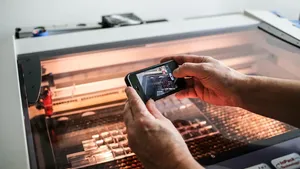
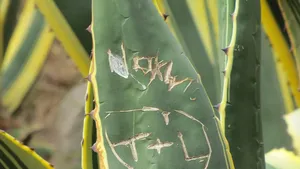
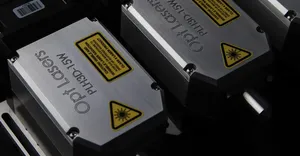
The OMTECH PRO 2440 laser engraver is one of the best budget CO2 laser engraving machines available in 2024. With robust options of 80W and 100W laser power, the OMTECH PRO 2440 boasts an innovatively sleek and compact structure perfect for small businesses, makers, hobbyists and craftspeople looking for an affordable, high-performance laser engraver.
Overview of the OMTECH PRO
The OMTECH PRO 2440 introduces in a new age of innovative CO2 laser machines that combine high-quality design with superior performance. Available in 80W and 100W models, this laser engraving machine features a built-in water chiller device for efficient laser cooling, achieving ultra-fast laser engraving speeds with maximum precision.
The PRO line undergoes comprehensive testing and calibration by the dedicated OMTECH US team before each shipment, ensuring it arrives ready for optimal performance right out of the box. With its robust engineering and rigorous quality control testing, the OMTECH PRO 2440 is designed to be an accessible, user-friendly and reliable laser for small scale production and prototyping needs.
Key Features and Benefits of the OMTECH PRO 2440
Powerful 80W or 100W Laser Tube
The OMTECH PRO 2440 is equipped with a long-lasting 80W or 100W CO2 laser tube featuring a lifespan of up to 10,000 hours of use. This powerful laser makes quick work of cutting & engraving projects.
Built-In Water Chiller
The integrated water chiller efficiently dissipates heat and cools the laser tube, improving cutting and engraving performance. No need to purchase a separate chiller unit.
Large 40” x 24” Work Area
The spacious 40” x 24” work area provides ample room for handling large formatting cutting and engraving jobs with ease.
Speeds up to 1000mm/s
With a 1x speed boost, the laser cuts and engraves at up to 1000 mm per second, perfect for efficient high-volume production.
Hybrid Servo Motors
The X and Y-axis hybrid servo motors enable swift responsiveness, precise motion control and efficient power transmission.
Autofocus
The built-in autofocus feature detects material thickness and automatically adjusts the focal length, delivering optimal results without manual adjustments.
What You Can Do With the OMTECH PRO
With its powerful CO2 laser tube, fast engraving speeds and generous work area, the versatility of the OMTECH PRO 2440 allows you to use it for many different laser cutting, engraving and marking applications across a wide variety of materials like wood, acrylic, leather, glass, fabrics, paper, cardstock, rubber and more.
Here are some of the many things you can create with this laser machine:
- Custom engraved gifts like jewelry, plaques, glassware, keepsakes, awards, etc.
- Unique homemade decor pieces – wall art, signs, ornaments, home decor, etc.
- Prototyping and short-run manufacturing of products
- Customized invitations, greeting cards, packaging, labels, etc.
- Stencils and templates for painting, sewing, leatherworking, etc.
- Custom apparel like t-shirts, hats, denim, bags, etc.
- Paper crafts – scrapbooking, cardmaking, paper flowers, origami, etc.
- Model making and architectural modeling
- Custom etched drinkware – glasses, mugs, flasks, etc.
- Logo and branding applications – signage, displays, banners, etc.
In short, if you have an idea, you can likely create it with the OMTECH PRO 2440 laser! This versatile machine is perfect for entrepreneurs, small business owners, makers & hobbyists looking for an affordable laser cutter/engraver to start a laser business or expand their offerings.
Review of Key Features and Performance
Now let’s take a more in-depth look at some of the standout features of the OMTECH PRO 2440 laser engraver and how they contribute to its overall performance and value.
Built-in Water Chiller
One of the biggest advantages of the OMTECH PRO 2440 is the built-in water chiller. This Integrated cooling system helps regulate the temperature of the laser tube during operation. Keeping the laser tube cool ensures consistent laser power output and optimizes cutting & engraving results.
The chiller eliminates the extra cost and hassle of having to purchase a compatible external chiller unit. With the cooling system built right in, setup is simplified out of the box. Overall, the integrated water chiller is an impressive feature for a laser engraver this price, enhancing performance & longevity.
Large 40” x 24” Work Area
The generous 40” x 24” engraving area provides ample space for taking on large projects. The added work area is a big perk compared to other machines in this price range.
Whether you’re engraving large batch orders, oversized pieces, or looking to maximize your production capacity, the spacious work zone allows you to cut and engrave bigger and better. For small business owners & entrepreneurs, the expansive workbed helps turn jobs around quickly and efficiently.
Hybrid Servo Motors
This machine utilizes responsive, energy efficient X-axis and Y-axis hybrid servo motors rather than stepper motors. The hybrid servo motors provide excellent torque and acceleration, allowing faster positioning speeds & movement. This results in quicker laser head motion as it moves across the work surface during operation.
When operating at high speeds, the servo motors provide accurate & seamless laser head translation. This motor system provides better responsiveness compared to stepper motors, contributing to the ultra-fast 1000mm/s max engraving speed of the OMTECH PRO 2440.
Sturdy Steel Frame Construction
The OMTECH PRO 2440 has a rugged steel C-frame body designed for durability and stability during use. The rigid steel construction prevents vibration or shaking that could throw off laser precision & engraving results.
The stable chassis also contributes to consistent and reliable laser head positioning. This heavy-duty build quality ensures industrial-level performance for the needs of small businesses and high production settings.
Built-In Air Compressor
Having an integrated air compressor is another useful feature not always found on budget laser engravers. The air assist keeps combustible gases and debris away from the laser lens & nozzle during cutting by blowing a constant stream of compressed air.
This helps prevent potential damage to the laser head from blowback and improves cut edge quality. The air assist contributes to crisp, burned edges when cutting materials like wood & acrylic. The internal air compressor eliminates the need to supply external compressed air.
Intuitive Touchscreen Control
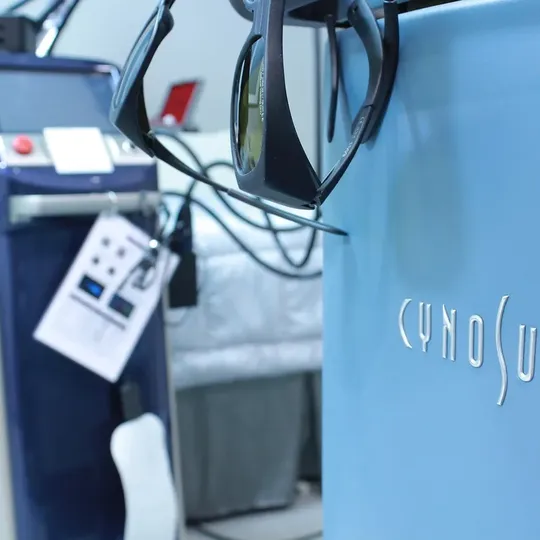
Efficient laser operation starts with the easy-to-navigate 10” touchscreen LCD panel. The responsive touchscreen allows users to manage settings, select files, and start jobs with just a few taps. Key laser parameters like laser power, speed, and height are easily adjusted on-screen.
Files can be imported via USB or Ethernet connection. The Intuitive controls make the laser engraver accessible for beginners while providing all the functionality busy shops need. Overall, the touchscreen allows you to get setup & start engraving faster.
Assisted Manual Focus
Accurate laser focusing is simplified with the assisted manual focus functionality. The laser head includes an integrated distance sensor that measures the height between the nozzle and material surface.
Read now: M3d Micro 3d Printer Review: Is it Worth Buying in 2024?
The touchscreen shows the height value and a visual indicator for the focal length, allowing quick manual adjustments to the focus. The assisted focus takes the guesswork out of focusing different material thicknesses, saving time & frustration.
Top Materials for the OMTECH PRO
The 80W or 100W power capacity of the OMTECH PRO 2440 laser can effectively cut or engrave many materials up to 10mm thick. Here are some of the most popular materials to use with this Laser:
Wood
Up to 10mm thick pieces of plywood, walnut, cherry, oak, maple, birch and more are great candidates for cutting and engraving. The 40” x 24” work area provides ample room for woodworking projects.
Acrylic
Clear and colored acrylic sheets up to 10mm thick can be precision cut and etched with a nice polished edge. Acrylic works well for awards, displays, signs, decor pieces and more.
Leather
Mark and cut intricate designs into leather for handbags, wallets, holsters, apparel, footwear and upholstery pieces.
Fabric
Cut patterns and etch custom designs into cotton, polyester, denim, canvas and other fabrics to make apparel, accessories, crafts and quilting projects.
Paper/Cardstock
Create personalized greeting cards, invitations, stationary, paper art and other crafty paper products.
Glass
Etch designs and logos into glassware including cups, mugs, mirrors, plates, vases, etc.
Read now: xTool P2 Review: More Benefits for Beginner Laser Engravers
Rubber Stamps
Customize your own rubber stamps with designs, logos or text for unique handmade crafts and gifts.
Ceramic Tiles
Fire-safe paints exist for directly decorating ceramic tiles with custom laser etched designs.
Anodized Aluminum
Anodized aluminum can be precision engraved for attractive and durable signage, nameplates, control panels and more.

As you can see, the robust 80W or 100W power makes the OMTECH PRO 2440 very versatile for laser cutting and engraving a wide variety of materials for different applications.
What Comes in the Box?
OMTECH provides all the accessories you need to start laser engraving right out of the box. Here’s an overview of what’s included:
- Laser engraver machine
- Exhaust fan
- Exhaust ducting
- Water tubing
- USB cable
- Comprehensive user manual
- Set of tools for assembly & adjustments
- Safety goggles
The exhaust fan hooks up to the back of the machine to efficiently remove smoke and fumes from laser operation. Ducting is included to vent exhaust outdoors.
Read now: M3d Micro 3d Printer Review: Is it Worth Buying in 2024?
The starter kit provides everything needed for quick and easy machine setup & installation. also includes detailed PDF user manuals covering machine assembly, operation, troubleshooting and maintenance.
Software for the OMTECH PRO 2440
The OMTECH PRO 2440 is compatible with industry-standard laser engraving and cutting software like LightBurn, LaserDraw, LightScribe and CorelLaser. This allows the laser to work seamlessly with common design programs like Adobe Illustrator, Inkscape, AutoCAD & more.

Most users will additionally need to purchase a compatible graphics software to create and edit designs to send to the laser. Some of the most popular options include:
LightBurn – User-friendly laser software with powerful features. Works with major design Programs. One of the top choices for hobbyists.
LaserDraw – Excellent free, open-source laser software with abundant features.
CorelDRAW – Robust design & graphics software with built-in CorelLaser module for laser operation.
Inkscape – Free open-source vector graphics editor. Works great for designing laser projects.
The OMTECH PRO 2440 supports importing vector and raster file formats like AI, SVG, PNG, JPG, DXF, DWG, PLT, BMP, etc. This compatibility allows you to prepare designs in the graphics software of your choice.
Customer Support and Documentation
OMTECH offers responsive customer service and support resources to help owners get the most from their laser. This includes:
- Extremely helpful YouTube video library covering setup, operation, maintenance, software, projects, and more.
- Quick email and phone support 6 days a week
- Active community forum for asking questions and engaging with other users
- PDF user manuals covering assembly, installation, operation, troubleshooting and maintenance in detail.
- Convenient mobile app for controlling and monitoring the laser engraver.
Read now: xTool P2 Review: More Benefits for Beginner Laser Engravers
The well-rounded documentation and support system enables both novice and experienced laser users to get up and running with confidence.
OMTECH PRO :
| Specifications | OMTECH PRO 2440 80W | OMTECH PRO 2440 100W |
|---|---|---|
| Laser Power | 80W | 100W |
| Work Area | 40″ x 24″ | 40″ x 24″ |
| Max Engraving Speed | Up to 1000mm/s | Up to 1000mm/s |
| Laser Tube Lifespan | Up to 10,000 hours | Up to 10,000 hours |
| Max Cutting Thickness: Wood | 30mm | 40mm |
| Max Cutting Thickness: Acrylic | 29mm | 33mm |
| Supported File Types | PNG, JPG, AI, DXF, PLT, etc. | PNG, JPG, AI, DXF, PLT, etc. |
| Connectivity | USB, Ethernet, WiFi | USB, Ethernet, WiFi |
| Frame | Steel C-Frame | Steel C-Frame |
| Integrated Water Chiller | Yes | Yes |
| Air Assist | Yes | Yes |
| Autofocus | Assisted Manual | Assisted Manual |
| Software (not included) | LightBurn, CorelLaser, etc. | LightBurn, CorelLaser, etc. |
| Warranty | 2 Years (Laser Tube 1 Year) | 2 Years (Laser Tube 1 Year) |
| Price | $6,649 | $7,599 |
Pros and Cons of the OMTECH PRO 2440
Pros
- Powerful 80W or 100W CO2 laser tube
- Built-in water chiller for consistent performance
- Large 40” x 24” work area
- Fast 1000mm/s engraving speed
- High-torque hybrid servo motors
- Sturdy steel frame construction
- Built-in air compressor
- Intuitive touchscreen controls
- Assisted manual focus
- Great value for the price
- 2 year warranty
- Excellent USA-based support
Cons
- Software not included (LightBurn recommended for best usability)
- No enclosed housing or fume extraction system. Requires exhaust venting.
- Materials like metal cannot be cut, just engraved
- Entry-level training required for inexperienced users
Is the OMTECH PRO You?
The OMTECH PRO 2440 is an ideal choice for:
- Small business owners, entrepreneurs, makers, hobbyists and craftspeople looking for an affordable, quality laser cutter/engraver with large work area and abundant power.
- Education programs, schools, workshops and studios that need a user-friendly, safe laser for teaching design and manufacturing skills.
- Prototyping, customization or small batch manufacturing with the advantage of in-house laser processing.
- Anyone wanting to start a laser engraving small business or expand their product offerings with laser gift personalization or manufacturing.
- DIY homeowners, woodworkers or creative hobbyists seeking a versatile laser capable of cutting and engraving projects from holiday ornaments, to home decor signs, to custom etched glassware.
| ALSO READ |
|---|
| M3d Micro 3d Printer Review: Is it Worth Buying in 2024? |
| xTool P2 Review: More Benefits for Beginner Laser Engravers |
The combination of ample work space, robust laser power and hassle-free operation at this very reasonable price point make the OMTECH PRO series an excellent entry-level laser, but with performance that can keep pace as skills progress.
Final Verdict
The 80W or 100W laser engraver delivers tremendous value for anyone seeking an affordable, quality laser machine made for smaller spaces. This high-performing laser excels at cutting, engraving and marking an impressive variety of materials with accuracy & efficiency.
Between the integrated water cooling, responsive touchscreen controls, and powerful cutting speed, the Omtech Pro raises the bar for capability and convenience in an entry-level desktop laser. Robust steel construction provides durability for the demands of busy shops & classrooms.
For makers, entrepreneurs and small businesses, the OMTECH PRO 2440 provides an accessible on-ramp to start leveraging laser technology for prototyping, customization and small-batch manufacturing with quality results and low operating costs. For the budget-conscious buyer, this laser machine delivers premium performance & reliability that can grow with your needs.
:FAQs:
Is OMTech made in USA?
No, OMTech laser engravers are designed in the USA but manufactured in China. However, each unit undergoes rigorous quality control and calibration testing by the OMTech team in the USA before shipment.
Is OMTech better than Glowforge?
OMTech lasers provide more cutting power and speed compared to Glowforge at a much lower price point. However, Glowforge offers a more enclosed, turnkey design with built-in fume extraction.
What is the best brand of CO2 laser?
Top CO2 laser brands known for performance and reliability include Epilog, Trotec, Universal Laser Systems, OMTech, FLsun, and Aeon Mira. OMTech provides excellent value at a budget friendly price point.
Which software is best for laser cutting?
The most user-friendly option for hobbyists is LightBurn. Other top choices include LaserDraw, CorelLaser & RDWorks. LightBurn has great features for simplified operation.
Why is laser cutting so expensive?
The high initial cost of laser cutters stems from the precision optics, laser tube, cooling system, and motion components needed to accurately guide, generate, and focus the laser beam.